
Be the first to review “Advanced computer half body CPR manikin” Cancel reply
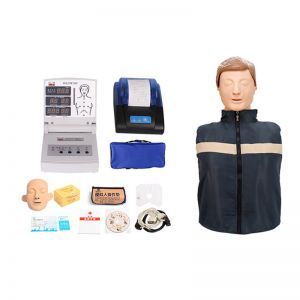
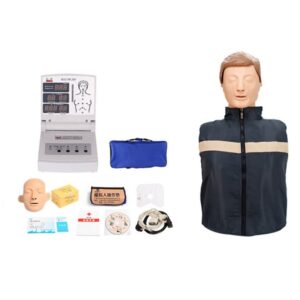
Advanced computer half body CPR manikin
CPR simulator features:
1.Simulate standard airway opening;
2.When performing manual chest compressions:
The dynamic barcode indicator light displays the pressing depth: the correct pressing depth (5-6cm area) is displayed
by the green light of the barcode, the insufficient pressing depth (less than 5cm) is displayed by the yellow barcode,
and the pressing depth is too deep (greater than 6cm) is displayed by the red barcode indicator light. Dynamic
feedback displays CPR compression depth.
Digital counting display; record in detail the specific reasons for pressing errors (excessive pressing force, too small
pressing force, incorrect pressing position and the correct number of times).
Language prompts: Chinese voice prompts, detailing the specific reasons for compression errors so that trainers can
correct them in time.
3.When performing artificial mouth-to-mouth respiration (air blowing):
Dynamic barcode indicator light displays tidal volume:
The correct tidal volume insufflated (500ml~600ml-1000ml) is displayed by the green light of the barcode, and the
dynamic feedback of the insufflated tidal volume that is too small or too large is displayed by the movement of the
yellow or red indicator light of the barcode to display the tidal measurement.
Digital counting display: record in detail the specific reasons for blowing errors (in terms of excessive blowing volume,
too small blowing force, and the number of correct blowing times).
Language prompts: Chinese voice prompts, giving detailed instructions on the specific reasons for blowing errors so
that trainers can correct them in time.
4.Compression to artificial respiration ratio: 30:2 (single or double);
5.Operation cycle: 30 compressions and 2 artificial respirations, a total of five cycles of CPR operation of 30:2;
6.Operating frequency: 100~120 times/min;
7.Operation method: training operation, training assessment (professional assessment, popular assessment);
8.Operation time: measured in seconds;
9.Language setting: You can set the language prompt and adjust the volume of the prompt; or turn off the language
prompt setting;
10.Check pupils: constriction and dilation comparison.
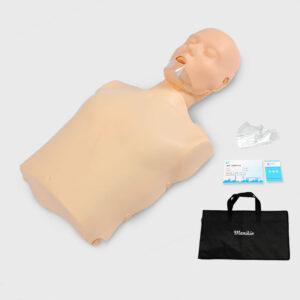
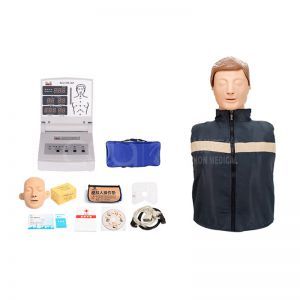
Standard configuration

Reviews
There are no reviews yet.